
If your controller is acting weird, drifting, missing inputs, or disconnecting, the first thought is often repair or replacement. But before spending money or opening it up, you should slow down and actually test it. This guide on How to Check Controller Health Before Repair or Replacement is meant to help regular players figure out what is really wrong and what is not.
I have checked hundreds of controllers over the years. Some belonged to competitive players. Some came from parents trying to fix a kid’s favorite gamepad. A surprising number were excellent and just needed a reset or a setting change. Others were clearly dying, and no amount of cleaning would save them.
Let’s go step by step and keep it simple.
Why Checking Controller Health First Saves You Time and Money
Many controller problems look the same on the surface.
- Stick drift
- Buttons not responding
- Random disconnects
- Delayed inputs
But the cause can be very different.
I once helped a friend who was ready to replace a controller because the right trigger felt broken. Turns out Windows had mapped it wrong after a driver update. Five minutes later, it worked perfectly.
How to Check Controller Health Before Repair or Replacement Using Visual Inspection
Before software tests, look at the controller itself.
What to look for
- Cracks near triggers or grips
- Loose buttons
- Sticky residue around sticks
- Bent USB ports
- Battery swelling
If you see physical damage, that is already a big clue. A cracked shell near a trigger often means the internal Spring is stressed. That usually leads to failure soon.
A repair tech once told me most trigger issues he sees start with tiny cracks people ignore.
How to Check Controller Health Before Repair or Replacement With Basic Button Tests
You do not need special tools for this part.
Simple manual test
- Press every button slowly
- Press them quickly
- Hold them down for five seconds
- Wiggle them gently
Pay attention to feel.
- Does it click or feel mushy
- Does it stick
- Does it feel different from the same button on the other side
If one face button feels softer than the others, the rubber pad underneath may be worn. That is a repairable issue and usually cheap.
Software Tools That Help Check Controller Health
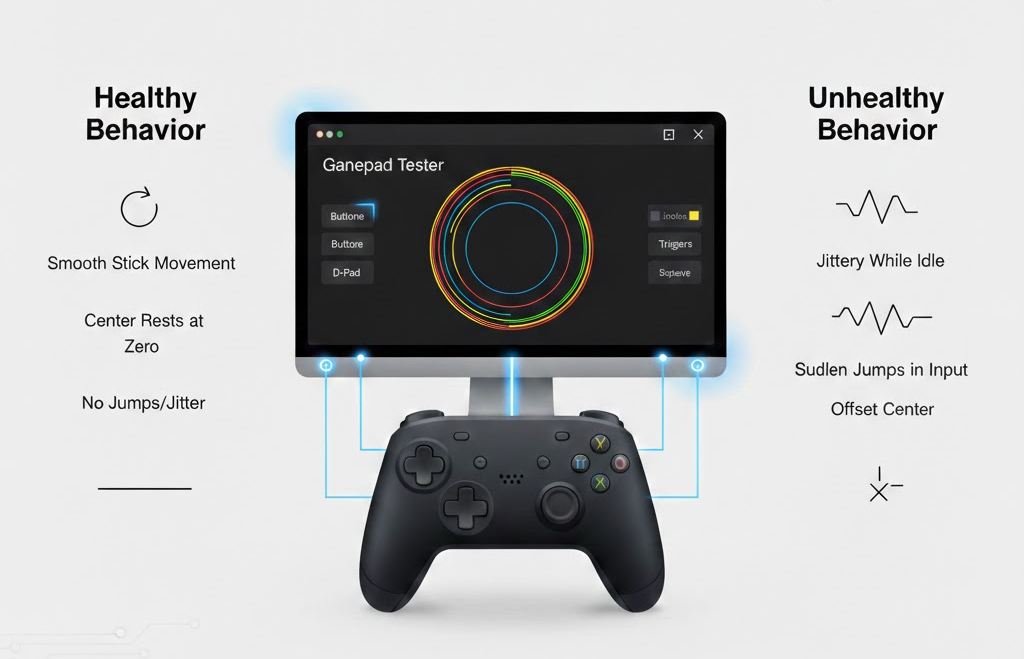
Now we move to software, where many hidden problems show up.
Built-in Windows controller test
- Open the control panel
- Go to devices and printers
- Right-click the controller
- Choose game controller settings
- Open properties
Here you can see live input.
Look for
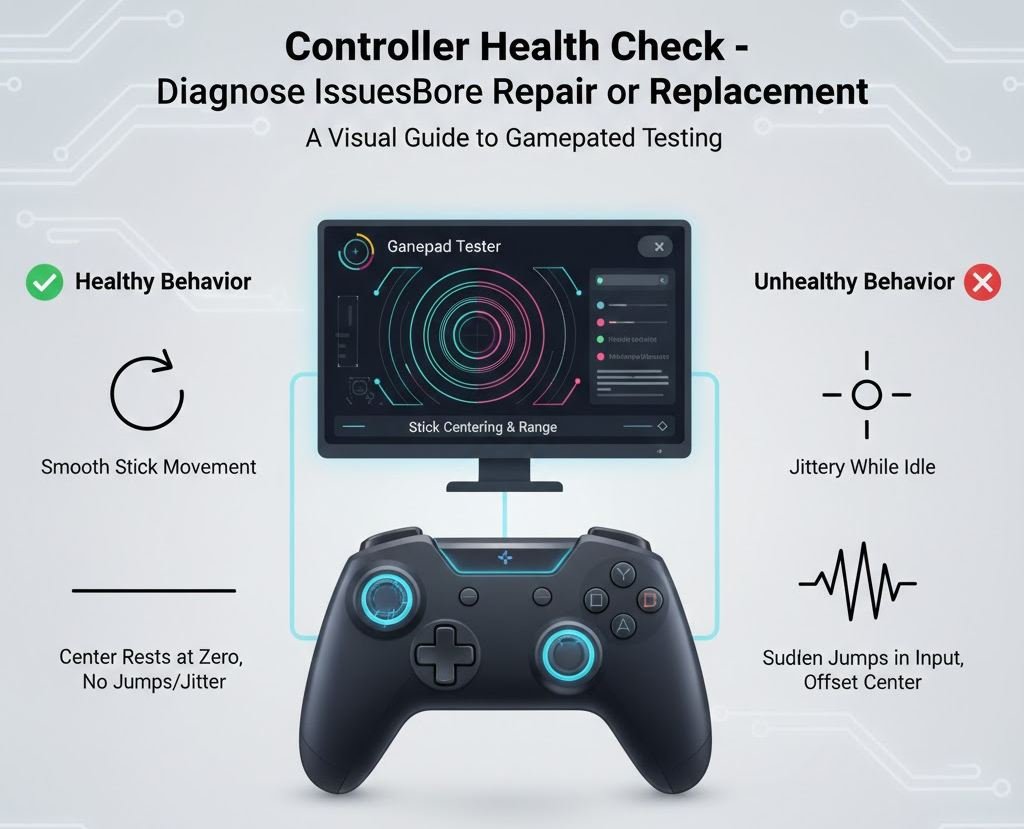
- Sticks returning to the center
- Triggers reaching full range
- Buttons are lighting up every time
If a stick never returns to the exact center, that is early drift.
How to Check Controller Health Before Repair or Replacement Using Gamepad Tester Sites
Online gamepad testers are simple and powerful.
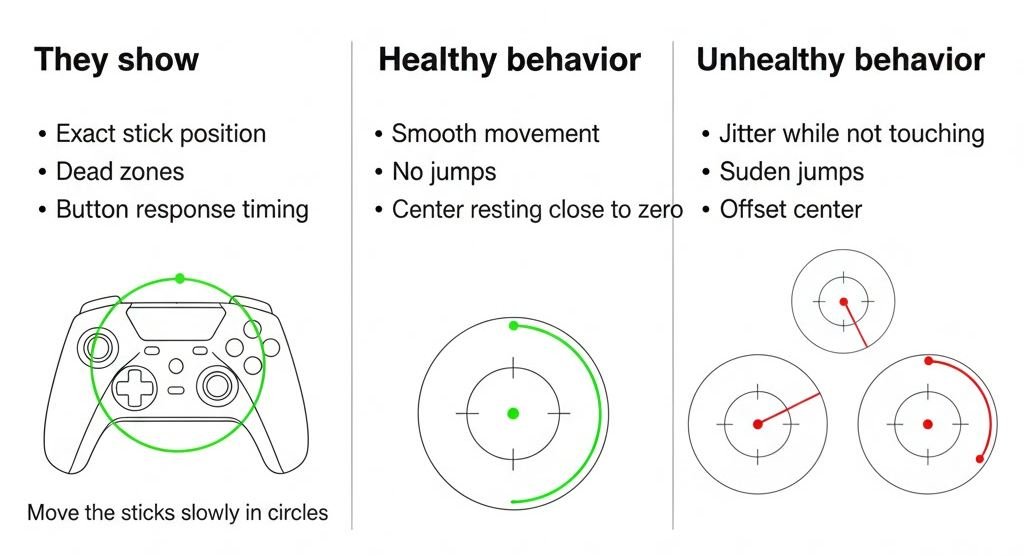
They show
- Exact stick position
- Dead zones
- Button response timing
Move the sticks slowly in circles.
Healthy behavior
- Smooth movement
- No jumps
- Center resting close to zero
Unhealthy behavior
- Jitter while not touching
- Sudden jumps
- Offset center
I once tested three controllers side by side. Only one had visible drift, but all three felt fine in games. Two months later, the drifting one became unusable. Early signs matter.
Stick Drift Does Not Always Mean Replacement
This is important.
Stick drift has levels.
Light drift
- Tiny movement
- Only visible in test tools
- Often fixable with cleaning
Moderate drift
- Character moves slowly
- Dead zone hides it for now
- Likely wear starting
Severe drift
- Constant movement
- A dead zone cannot fix
- Repair or replacement needed
A controller repair specialist told me that cleaning fixes about 30 percent of drift cases when caught early.
How to Check Controller Health Before Repair or Replacement for Triggers
Triggers fail more often than people expect.
- Pressing slowly
- Watching the input bar
- Checking if it reaches 100 percent
Common trigger problems
- Stops at 80 or 90 percent
- Flickers while holding
- Feels loose
This can be caused by dirt, worn springs, or cracked housings.
If the trigger does not reach full input, many games treat it as half-pressed. That is why cars will not accelerate fully, or guns will not fire properly.
Wireless Problems That Look Like Hardware Failure
Not all issues are physical.
Signs of connection issues
- Random disconnects
- Inputs freezing briefly
- Delayed response
Before assuming damage
- Try a wired connection
- Change the USB port
- Update controller firmware
- Replace batteries
I have seen Bluetooth interference from wireless headphones cause controllers to stutter badly.
Battery Health Is Part of Controller Health
For wireless controllers, battery condition matters.
Signs of a bad battery
- Rapid drain
- Random shutdowns
- The controller only works when plugged in
If a controller works perfectly while charging but fails wirelessly, the battery is likely the issue. That is often cheaper to fix than replacing the whole controller.
Repair or Replace Decision Guide
| Problem | Likely Fix | Worth Repair |
|---|---|---|
| Light stick drift | Cleaning | Yes |
| Button not clicking | Rubber pad | Yes |
| Trigger not reaching full | Spring or sensor | Sometimes |
| Severe drift | Stick module | Depends |
| Cracked shell | Structural | Usually no |
| Dead battery | Battery swap | Yes |
Expert Advice From Repair Technicians
A local console repair technician shared this with me.
Most controllers that come in for repair could have lasted longer if tested early. People wait until failure is total. Minor issues grow into expensive ones.
Common Mistakes People Make
- Assuming drift always means replacement
- Ignoring early warning signs
- Using extreme dead zones instead of fixing issues
- Opening controllers without diagnosis
Opening a controller without knowing the problem often makes it worse.
How Often You Should Check Controller Health
If you play often
- Quick check once a month
- Full test every three months
If you play competitively
- Test before tournaments
- Test after firmware updates
Controllers wear slowly. Catching issues early keeps them usable longer.
Final Thoughts
Most controllers don’t fail suddenly; they decline slowly, with tiny signs that are easy to miss. Checking controller health before repair or replacement gives you clarity, avoids guesswork, and often saves money. A reset, cleaning, firmware update, or battery swap can bring a “broken” controller back to life, while early testing can confirm when a part is truly worn out and not worth fixing. Whether you are a casual player or someone who competes, treating your controller like any other piece of hardwarediagnose first, act secondwill extend its lifespan and keep your gameplay consistent.