

Relationships between subjects, objects, architecture, lighting, and camera position are essential in visual storytelling. Space creates scale, context, movement, and emotional significance for each character. A chair can suggest scale, and a doorway can indicate proportion to the environment. Location, purpose, status, or intended journey could be indicated by a vehicle. One of the expected spatial AI ideas indicates another way of creating scenes. Creators can think of connected spaces rather than each element individually. Pippit aids this thinking in the areas of scene development, asset organization, and camera references.
Why Character Placement Is a Spatial Problem
There is no meaningful existence of a character without space. Furniture, walls, vehicles, products, and other subjects provide context and visual scale. Placement is important when it comes to attention since isolated or central subjects tend to draw more attention. Distance may imply friendliness, conflict, teamwork, watching, or feeling distant. Pippit can convert these relationships into scenes that serve a clear purpose in the narrative. Consider what each character sees, approaches, avoids, or interacts with. This spatial thinking is also useful for the AI video generator workflow since scenes should be related to each other. A character in front of a product conveys different information than a character standing at the back of the product.
Using 3D Perspective to Judge Character Scale
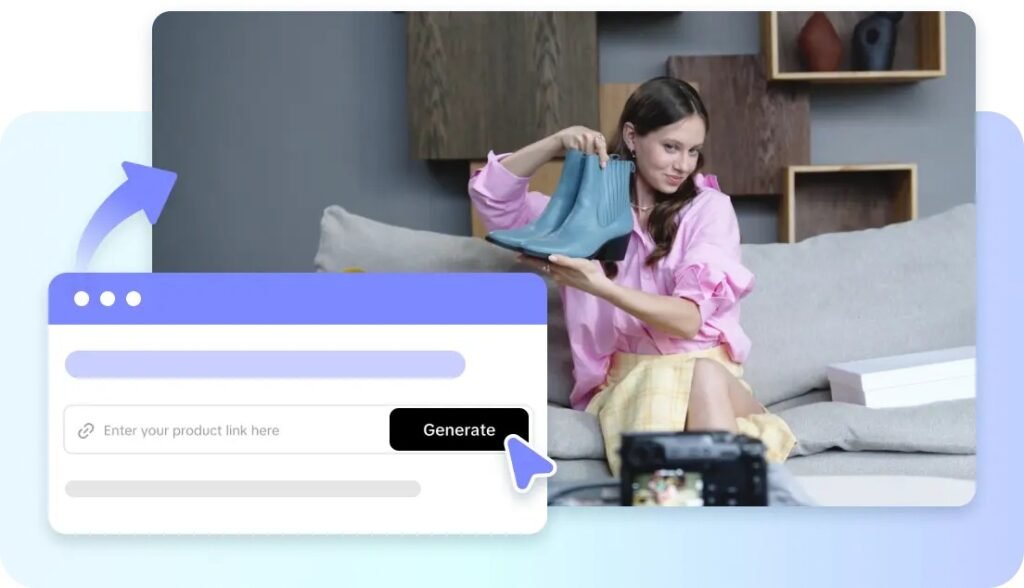
Practical references may be used to gauge environmental and object scale by using characters. Viewers have a sense of familiar proportions to compare against when they look at a doorway, table, staircase, or vehicle. The props also give the characters a place to be, which helps to define their space. Believable proportions between body, tools, and machinery are important for a mechanic standing with a vehicle. When a presenter is next to a product, there should be enough space to see both the product and the presenter. The expected Seeworld guidance is towards joined-up 3D environments and not towards stand-alone visual elements. A viewable perspective could be useful for creators to view scenes at various angles before final processing. With the white-mesh approach, it is possible to highlight geometry, depth, composition, and scale without the distraction of textures. Reference-guided creation could link up with existing visual ideas and new spatial arrangements. When there’s a need for multiple camera angles, consistent relationships are necessary.
Building Character-Object Relationships Inside One Scene
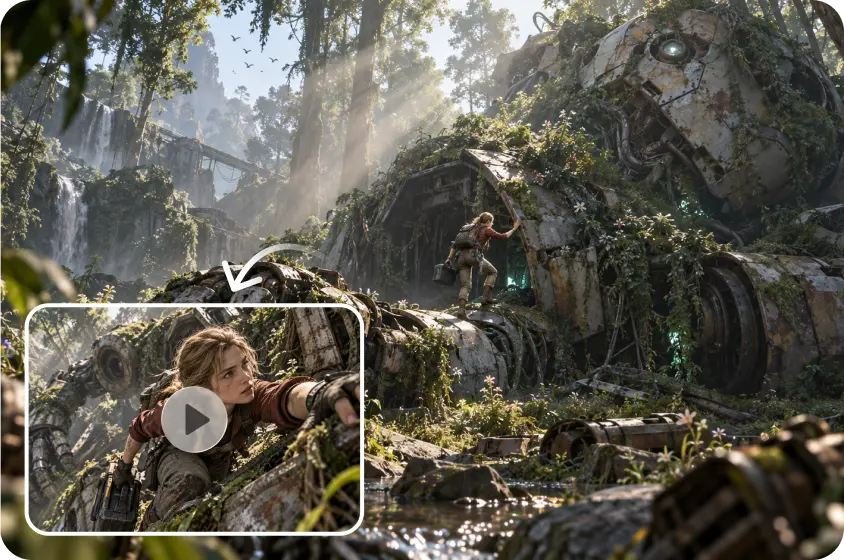
If characters and props are put in the same environment, it will be easier to plan for interaction. If a character is reaching for a product, he or she should have a realistic distance between him and the product. Foreground to draw attention and background to set the scene and mood. Groups of multiple characters require intentional spacing to ensure that their gestures, expressions, and actions are interpreted. Pippit organizes characters, images, scene videos, audio, and elements of the narrative. The workspace of Creative Canvas offers the opportunity to arrange these production components. Character prompts should be consistent in terms of appearance, role, movement, and visual style. Environment prompts should include lighting, setting, camera angle, mood, and spatial relationships. Once roles and scene requirements are determined, batch generation can be useful.
Steps to View Characters and Objects in Space With Seeworld’s 3D Perspective
Step 1: Position Characters Within the Spatial Concept
- Sign up using Google, TikTok, or Facebook account information to access the available creative workspace.
- Navigate through the left vertical menu bar and select the “Story Studio” tab first.
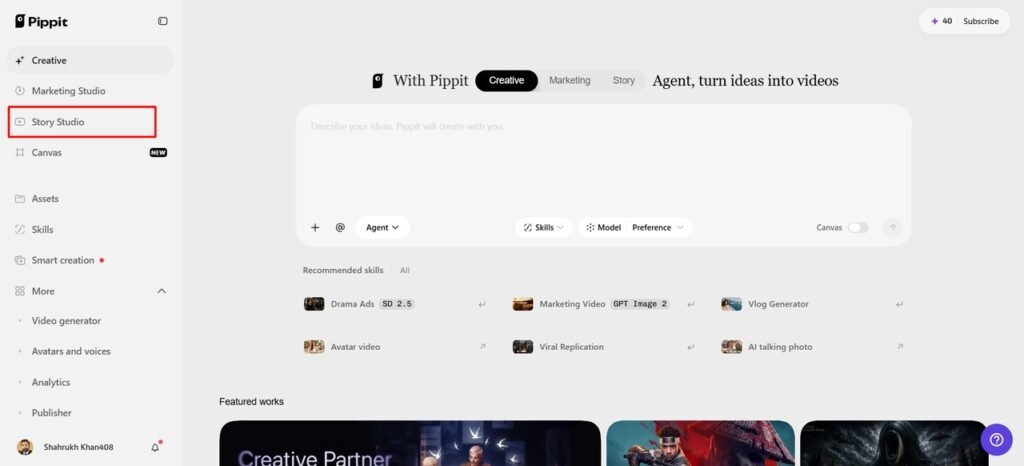
- Upload your script through the “Upload script” tab or paste text using “Paste script” directly.
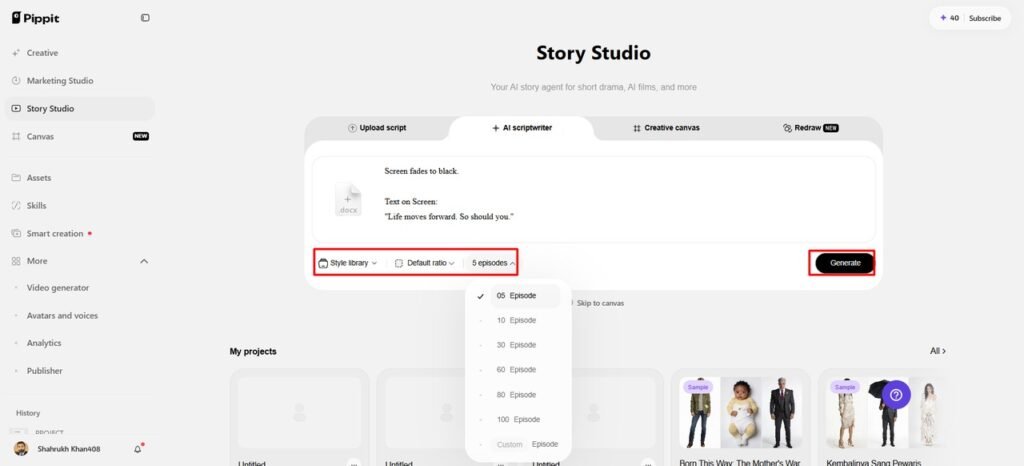
- Use the “AI scriptwriter” from the top menu to develop scripts around characters and spatial objects.
- Choose a visual direction through “Style library”, helping establish consistent presentation for characters within environments.
- Open the “Default ratio” option to choose your preferred aspect ratio before developing each sequence.
- Use the “Episodes” tab when dividing your concept into connected sequences for broader spatial planning.
- Finally, select “Generate” to let AI develop your initial script and organize the planned scenes.
Step 2: Define Character and Object Placement
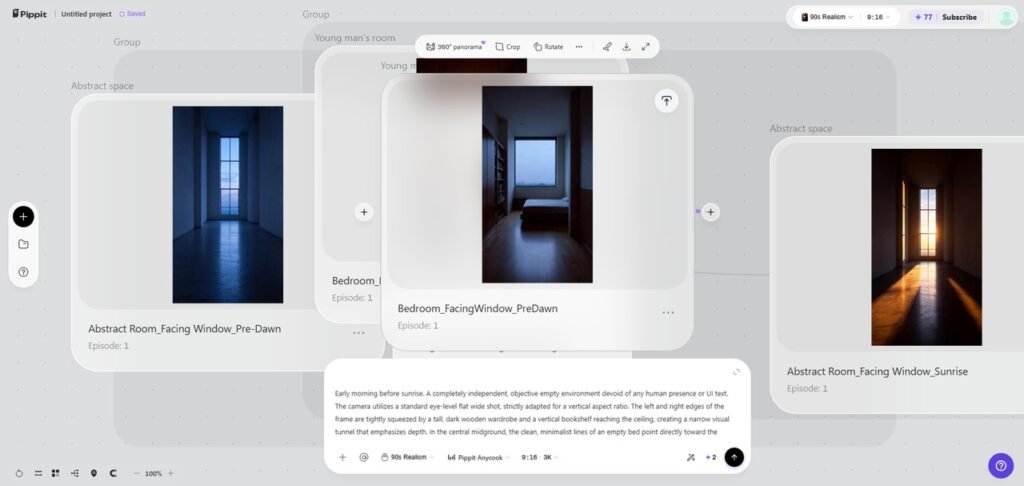
- Add images, scene video, audio, and characters with roles through “Creative Canvas” for complete control.
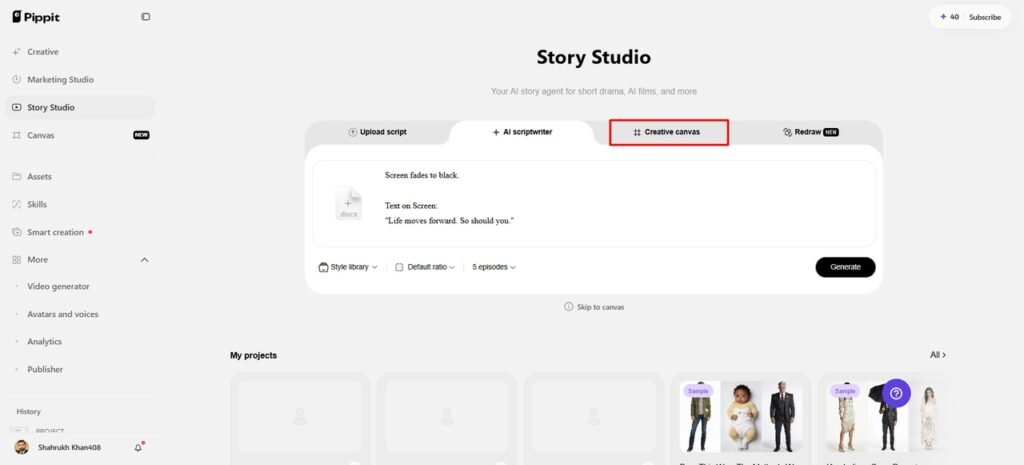
- Write prompts describing character look, setting, lighting, camera angle, style, voice tone, and object placement details.
- Include story mood and product context alongside those spatial details to guide each generated scene.
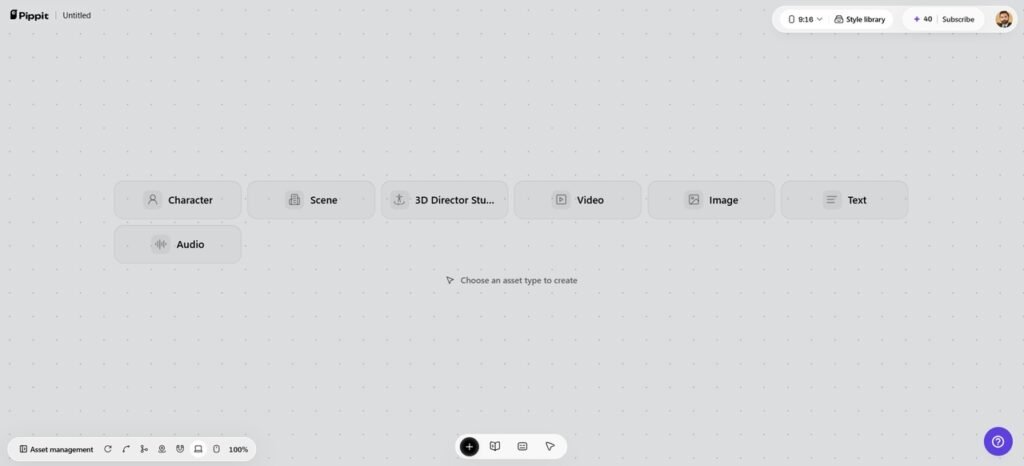
4. After assigning roles, generating characters, and scenes, select “Batch generate” to generate episodes together efficiently.
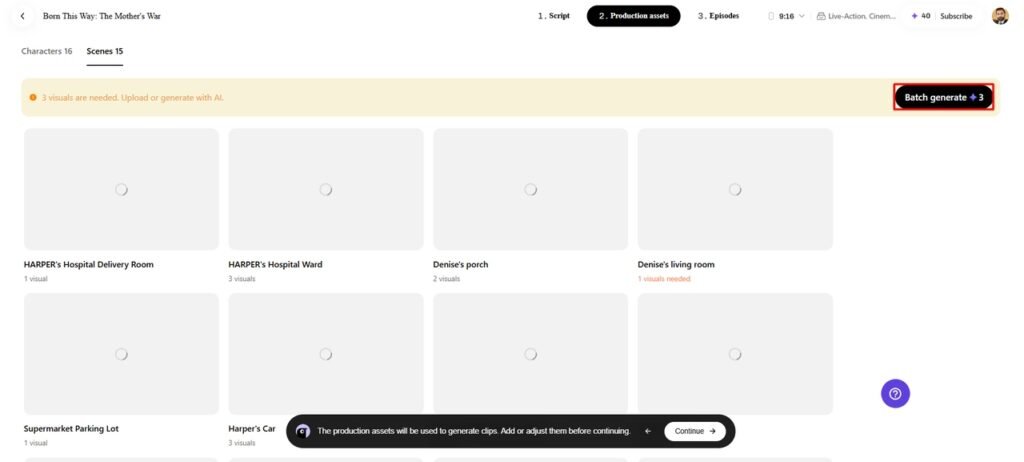
Step 3: Refine Spatial Character Relationships
- Review and edit characters, roles, scenes, and audio carefully to refine each episode before finalizing.
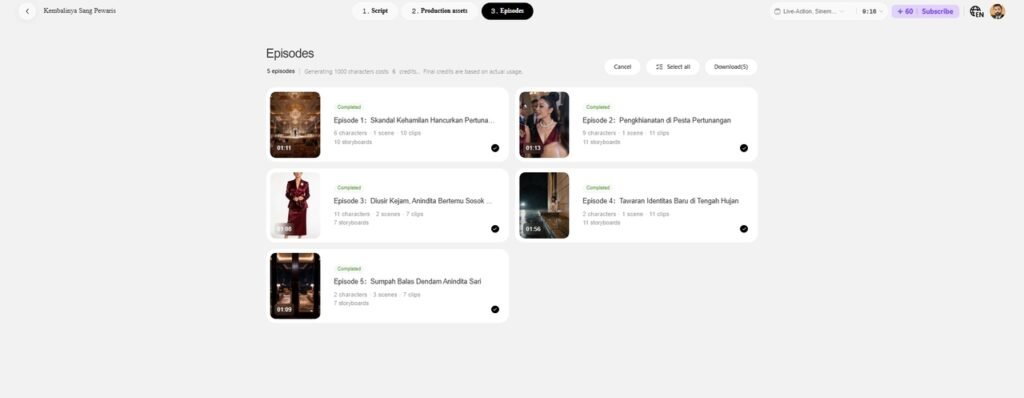
2. When satisfied, click “Select all”, then choose “Download” to bulk download episodes directly onto your device.
Character and Object Placement Checklist
Before approving any spatial composition, use this checklist:
- Subject position: Decide each character’s place within the visual hierarchy.
- Object proximity: Decide which props are meant to be used ‘close’ to each character.
- Body orientation: Direction of character to fit the action, dialogue, and/or significant elements in the scene.
- Scale relationship: Make comparisons with furniture, architecture, products, and environmental objects.
- Depth separation: Make sure that the important subject is separated from similar elements in the background.
- Camera visibility: Determine if the camera’s view clearly conveys all necessary relationships.
They are also useful in maintaining continuity when the same scene is shown from various angles.
Directing the Camera Around Characters and Objects
The height of the camera affects the perception of the relationship between characters and objects. A straight-on angle may tend to be more direct, while a low angle may help make things more prominent. High-level views can help to elucidate layouts, placement, and interactions over larger areas. Framing is what makes a character, object, or interaction stand out. Trying out different perspectives can help identify more powerful compositions without altering the scene set-up. A spatial setting can be used for close-ups, long shots, and compositions where the characters interact. Selected visual references can be used by Pippp to inform wider scene and video development. Camera references are useful for conveying the desired staging prior to final generation or editing.
From Spatial Arrangement to Narrative Direction
Spatial Planning can be used to create blocking prior to animation, motion generation, or detailed editing. The position of a character may indicate an approach, avoidance, observation, protection, or utilization. Objects can then be used as a means to signal rather than embellish. Stable stances maintain continuity in logical flow from one shot to the next and across camera angles. This is important if product placement is necessary in promotional scenes that need the product to be visible during the scene. Pippit ties together the narrative content with visual resources, scene planning, and production organization. With clear staging, scenes generated can be assessed more easily before delivery.
Conclusion
Relationships to surrounding space give characters and objects meaning. Scale, placement, orientation, distance, and interaction are easier to assess when perspective is added. A connected 3D view is designed to promote the exploration of scenes from different angles. It’s not like workflows that are about creating a single image or clip. The expected spatial-world direction is a helpful model for connected environments. Pippit offers scene building, asset management, and camera reference preparation. The first step to effective staging is to know where each key element is.