

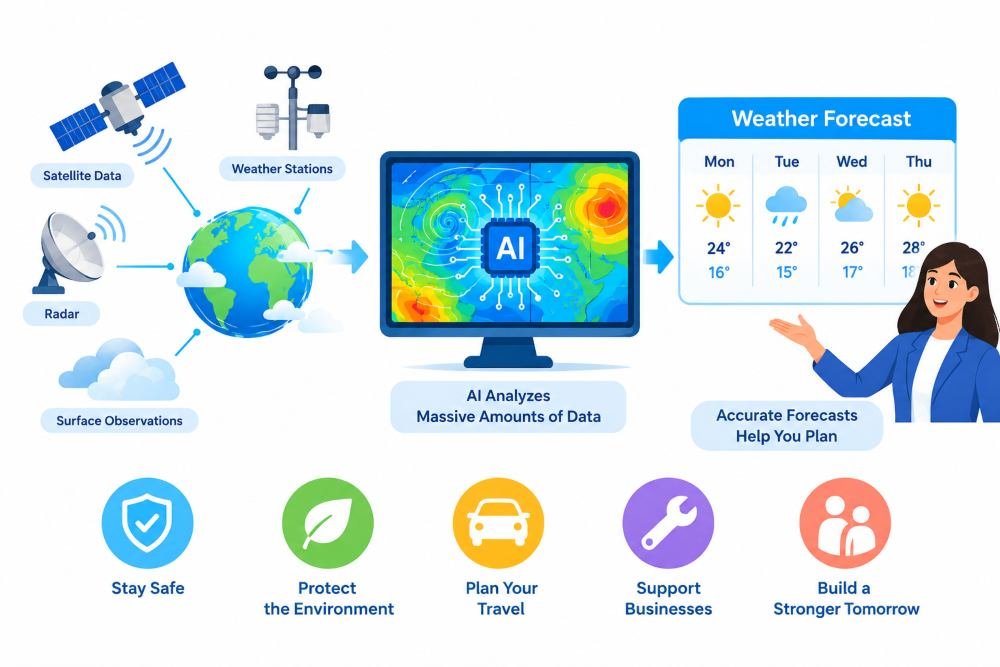
Weather forecasts present the amount of precipitation that is likely to occur, temperatures, wind speeds, atmospheric conditions, and cloudiness. But sometimes an explanation in words and a static chart fail to make the weather’s temporal evolution comprehensible. These changes can be easier to understand with the help of moving visuals – familiar landscapes and atmospheric motion. Dreamina AI brings creators detailed weather scenes to life through educational videos, social media content, and science classes, empowering them through simple text prompts. It offers AI video generation capabilities that allow for visual experimentation without the need for footage. But generated scenes are not a replacement for official meteorological data, nor do they confirm forecasters’ live forecasts.
Identify Weather Concepts That Benefit From Motion
Viewers can see changes in weather, which helps them to better understand various weather concepts. Dreamina by CapCut features generate scenes that are illustrated with moving clouds, rain, changing light, and seasonal environments. Cloud formation might manifest in the accumulation of clouds over distant hills, and rainfall patterns might feature valleys or urban streets. Swaying trees, flapping flags, and drifting clouds are helpful visual cues to wind direction. Transitions can be made between cool mornings and bright afternoons due to temperature changes. Storm illustrations can show dark clouds and distant lightning, and seasonal sequences can show the difference between snowfalls, showers in spring, sunny summers, and windy falls. One major idea should be conveyed in each scene without any effect that doesn’t support the idea or confuses the audience.
Structure Weather Explainers Around Verified Forecast Information
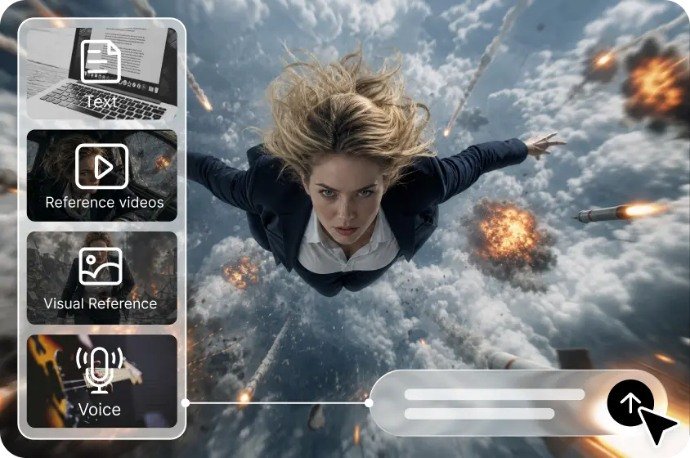
Start each weather explainer with a real weather forecast, not a hypothetical weather situation. Know where, when, and during what time to check temperature, precipitation chances, wind speed, and severe weather. Check official meteorological sources for weather observations, forecasts, and warnings. Next, look for the main message: afternoon showers, cooler temps and/or winds increasing or decreasing. Prepare multiple graphics for key information rather than relying on a single prompt to get the message across. Add verified numbers, locations, time stamps, and explanatory captions during editing. Differentiate between ‘what is happening’ and ‘what might happen’ and ‘why’ when related to the weather and science. If the projections include a probability or a changing condition, include that uncertainty in the narration. The generated visuals are for information purposes only and should not be taken as a substitute for official radar, satellite imagery, or warning systems.
Steps to Explain Weather Forecasts With Dynamic Visuals Using Text to Video
Step 1: Open Dreamina and write your forecast prompt
- First, sign up or log in to Dreamina to start building your weather video today.
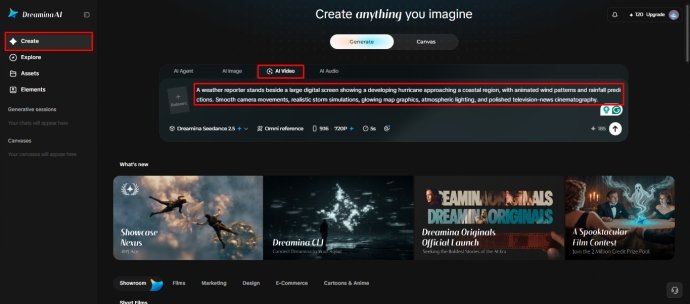
- Next, open the “Create” tab from the left menu and then pick the “AI video” option.
- Later, type a detailed prompt describing how your forecast should look and feel on screen. Add details on video elements, sound, background, theme, and concept, like slowly drifting storm clouds.
Step 2: Choose your model and shape the weather scene
- Next, select a model from the options sitting at the bottom of the dialogue box.
- You can choose models such as Dreamina Seedance 2.5, Dreamina Seedance 2.0, Dreamina Seedance 2.0 Fast, Dreamina Seedance 2.0 Mini, Dreamina Seedance 1.0, etc.
- Click on “Omni reference” to guide the AI with multiple reference images for accurate maps.
- Then, select the custom aspect ratio and resolution from the “Aspect ratio” and “Resolution” tabs.
- Finally, click on the “Generate” tab to begin creating your animated weather forecast video now.
Step 3: Polish your forecast and export it
- If the result misses the mark, use “Edit prompt” or “Regenerate” to refine the forecast.
- You can also edit the generated video using the “Edit video” option for quick fixes.
- Moreover, use “Edit segment” to edit only part of the video, such as the rain.
- Use “Extend video” to lengthen your forecast when you need more time for the outlook. Try “Creative upscale” to improve your video quality before you share the forecast with viewers.
- Dreamina gives you complete freedom to edit your weather video exactly the way you like.
- Finally, click on the “Download” tab present in the top right corner of the interface. This saves the video file on your local device so you can share it anywhere.
Write Prompts That Describe Visible Atmospheric Changes
Effective weather prompts are things that you can see and are the actions of the weather rather than general instructions. Describe the setting by stating the environment, season, terrain, buildings, and time of day. Explain the movement of clouds, rain, mist, and/or the reaction of vegetation to wind. Include camera direction (stationary wide shot, slow pan, aerial camera type view). Lighting is detailed to create visibility and atmosphere, such as diffused daylight and overcast skies. Use a realistic environment video, educational animation, or cinematic illustration as per the lesson. Ensure that movements are repeated throughout the scene.
For instance, “A realistic broad shot of a green valley with grey clouds gently moving from left to right in a cloudy morning sky, light rain starts to fall over far away hills, soft diffused light, gradual camera move, natural cloud and sky colours, good visibility of the changing landscape. A visual concept is presented by this description, not a verified prediction for any specific location.
Match Visual Techniques to Different Forecast Formats
Different publishing formats will need different ways of visualizing. Forecast videos can include scenes identifying a location and include actual temperatures and precipitation data on a daily basis. For severe-weather education, the animation of storm formation can be explained, and live warnings can be clearly distinguished. Contrastive environments provide the rationale for predicting recurring patterns of temperature and precipitation for seasonal outlook. Evaporation, condensation, cloud formation, and the water cycle can be represented in consecutive steps in science lessons. Travel weather information can set a scene for a destination in addition to confirmed weather for certain dates. Social media clips are great because they have instant visual exposure, easy-to-read captions, and a single message. Sometimes, complex meteorological concepts need scientific diagrams, geographic maps, or conventional scenes and AI-generated scenes.
Protect Forecast Accuracy Through Editorial Review
Editorial review ensures that visuals that are attractive are not misleading weather information. Always verify all forecast numbers, times, areas, and warnings with the source before posting. Do not present an initiated storm or disaster as authentic footage of a named place. If there are scenes that are easily mistaken for real observations, then label them as illustrative. Investigate cloud motion, precipitation patterns, and environmental responses to look at for visual plausibility. Where geographic accuracy is of importance, official radar products and maps are to be used. Don’t make unsupported statements regarding timing or certainty of severe-weather forecasts. Include labels and captions that can be read by those who are not listening. Time-sensitive information may change rapidly; verify before use. Dreamina AI enhances creative visualisation; verification with facts is an editorial task.
Conclusion
Dreamina AI assists creators in bringing written descriptions to life by creating moving illustrations of the changing atmosphere, seasons, and weather science. Crafted prompts can help demystify complicated topics as they play through videos in school, social media videos, and forecast explainers. But convincing visuals are not enough to communicate effectively. The factual basis is given by reliable meteorological data, transparent labelling, accurate captions, and careful editorial checks. Use one confirmed forecast message as the starting point, pick an appropriate visual idea, and develop the created scene until it makes sense. When creative motion is coupled with reliable evidence, the resulting explanations of weather are engaging without being confusing or mixing illustrations and real-time observations.