

If you have recently cleaned your game controller and noticed that the analog stick has become stiff or hard to move, you are not alone. Many gamers face this issue after maintenance, and it can be frustrating when it affects gameplay. Analog sticks are sensitive components that require careful handling. Stiffness usually happens due to residue from cleaning solutions, misalignment during reassembly, or lack of proper lubrication. we will discuss the causes, fixes, and tips to restore smooth movement to your controller’s analog sticks.
Understanding Why Analog Sticks Become Stiff
Analog sticks are mechanical parts connected to potentiometers that detect movement. Over time, dust, grime, and sweat can build up inside, affecting their movement. Even after cleaning, stiffness can occur due to:
- Residue left from cleaning sprays or alcohol.
- Over-tightening screws during reassembly.
- Lack of lubrication on moving parts.
- Internal misalignment after opening the controller.
- Worn-out spring or mechanism inside the stick.
Knowing the exact cause helps you fix it properly. Trying random solutions may damage your controller, so following careful steps is essential.
Common Causes
| Cause | Description | Effect on Stick |
|---|---|---|
| Cleaning residue | Alcohol or water residue inside stick mechanism | Sticky or stiff movement |
| Over-tightened screws | Screws press parts too tightly | Increased resistance while moving |
| Lack of lubrication | Original grease removed during cleaning | Rough or dry feel |
| Misalignment | Parts shifted during reassembly | Uneven or blocked movement |
| Worn components | Springs or joints weakened | Stiff or inconsistent movement |
Experts suggest that maintaining the right balance between cleanliness and lubrication ensures long-term smooth operation.
Tools Needed for Fixing Stiff Analog Sticks
Before starting any fix, gather these simple tools. Using improper tools can worsen the problem:
- Small Phillips and flathead screwdrivers.
- Tweezers for precise handling.
- Cotton swabs and microfiber cloth.
- Isopropyl alcohol (at least 90%).
- Silicone grease or contact-safe lubricant.
- Small brush for dust removal.
Having these items ready helps prevent mistakes and reduces the risk of damaging your controller.
Step-by-Step Guide to Fix Stiff Analog Sticks
Follow these steps carefully. The process combines cleaning, checking, and lubrication to restore smooth movement.
Step One: Disassemble the Controller
Remove screws and carefully open the controller. Keep screws organized for easy reassembly. Avoid forcing any parts apart.
- Place the controller on a clean surface.
- Note the orientation of internal parts.
- Avoid touching the circuit board directly with fingers to prevent static damage.
Step Two: Clean the Analog Stick Mechanism
Even if you just cleaned it, residue may remain. Use a cotton swab with isopropyl alcohol to clean:
- The base of the stick where it moves.
- The spring and surrounding joints.
- Potentiometer connections, but do not soak them.
Allow alcohol to evaporate completely before moving to the next step.
Step Three: Check for Misalignment or Loose Springs
Sometimes stiffness is caused by misaligned components. Check:
- Spring position under the stick.
- Plastic guides that keep the stick centered.
- Ensure nothing is bent or broken.
If any parts are misaligned, gently adjust them using tweezers.
Step Four: Apply Lubrication
Lubrication helps reduce friction and improves stick movement:
- Use a small amount of silicone grease.
- Apply to the moving parts and not the potentiometer sensors.
- Rotate the stick while applying to spread the lubricant evenly.
Avoid using oil-based lubricants as they can damage plastic over time.
Step Five: Reassemble the Controller Carefully
After cleaning and lubrication:
- Align all parts properly.
- Do not overtighten screws; they should be snug but not pressing hard.
- Test stick movement before fully closing the controller.
If stiffness persists after reassembly, repeat cleaning and lubrication, or check for damaged components.
Tips for Preventing Analog Stick Stiffness
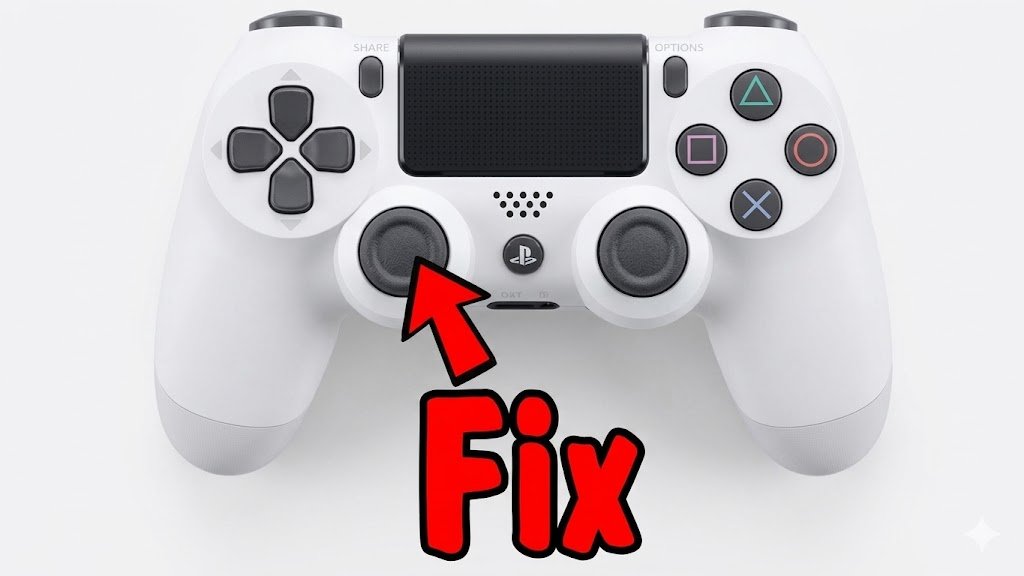
Prevention is better than repair. Maintaining your controller properly ensures long-term smooth operation:
- Clean your controller regularly using dry or lightly damp microfiber cloth.
- Avoid liquid cleaners that can seep inside the stick.
- Apply a small amount of silicone grease every few months.
- Handle sticks gently; avoid pressing too hard.
- Keep your hands clean while gaming to reduce grime buildup.
Following these steps helps maintain performance and prolongs the life of your controller.
Maintenance Schedule Table
| Maintenance Type | Frequency | Notes |
|---|---|---|
| Surface cleaning | Weekly | Use microfiber cloth |
| Internal cleaning | 2-3 months | Only if movement is affected |
| Lubrication | Every 6 months | Silicone grease recommended |
| Inspection | Monthly | Check for loose screws or damage |
Common Mistakes to Avoid
Even experienced gamers make mistakes that cause stiffness or damage:
- Using excessive alcohol or water inside the stick.
- Over-tightening screws during reassembly.
- Skipping lubrication after cleaning.
- Ignoring worn or broken internal components.
- Forcing the stick to move if it’s blocked.
Experts recommend addressing the root cause instead of forcing movement. Doing so prevents further damage.
Signs Your Analog Stick Needs Replacement
Sometimes stiffness indicates the stick is worn out. Signs include:
- Movement is inconsistent or jumps unexpectedly.
- Stick returns slowly or unevenly to center.
- Repeated stiffness despite cleaning and lubrication.
- Audible grinding inside the stick mechanism.
If these signs appear, replacing the analog stick or the controller may be necessary. Replacement sticks are available online for most popular controllers, such as Xbox, PlayStation, or Nintendo models.
Replacement Options Table
| Controller Type | Replacement Option | Notes |
|---|---|---|
| PlayStation DualShock/DualSense | Official or third-party sticks | Check compatibility |
| Xbox One / Series X | Official Microsoft replacement | Ensure correct spring type |
| Nintendo Switch Pro | Third-party replacement kits | Includes tools for installation |
| Generic wired controllers | Universal analog sticks | May require soldering or adjustment |
Expert Advice
Gaming hardware specialists recommend patience and methodical work. Michael Chen, a repair technician, says: “Analog sticks are sensitive. Cleaning should always be followed by proper lubrication. Rushing reassembly or using harsh cleaners leads to permanent damage.”
Similarly, user experience guides suggest rotating the stick in all directions after applying lubricant to evenly distribute it, reducing the risk of uneven stiffness.
Gmaepad Tester Tips for Smooth Gameplay Perfect

Even after fixing stiffness, consider these tips for better control:
- Avoid pressing down too hard on the stick during intense gameplay.
- Calibrate your controller using the console or PC calibration tools.
- Keep the controller in a dust-free environment when not in use.
- Replace worn thumb grips to improve handling and comfort.
- Avoid exposing the controller to extreme temperatures or humidity.
Troubleshooting Persistent Stiffness
If stiffness remains after cleaning and lubrication, check:
- Spring tension: springs may weaken over time.
- Plastic guides: if cracked or bent, they need replacement.
- Internal grime: sometimes deep dirt is hard to remove without full disassembly.
- Contact sensors: sticky residue can affect electronic response.
Testing each component individually helps identify the exact cause. This step saves time and prevents unnecessary replacement of functional parts.
Troubleshooting Table
| Problem | Possible Cause | Suggested Fix |
|---|---|---|
| Stiff movement | Lack of lubrication | Apply silicone grease |
| Uneven stick | Misaligned components | Adjust with tweezers |
| Slow return | Weak spring | Replace spring or stick |
| Sticky feel | Cleaning residue | Wipe thoroughly with alcohol |
Conclusion
Analog stick stiffness after cleaning is a common issue that can be fixed with careful cleaning, alignment, and lubrication. Using proper tools and following a methodical process ensures smooth operation and prevents long-term damage. Preventative maintenance, such as regular cleaning and light lubrication, reduces the chances of stiffness occurring in the future. Remember, rushing or skipping steps often causes more harm than good. By applying these techniques, you can enjoy a responsive and comfortable gaming experience without replacing your controller frequently.
Watch Tutor: How To Fix Controller Drift PS4! PS4 Analog Stick Drift Easy Fix! (Easy Cleaning Method!)
Other Controller Fixes and Recommendations:
- Replace worn out thumb grips for better control
- Clean buttons to prevent sticking or lag
- Check triggers for smooth movement and recalibrate if needed
- Tighten loose screws to prevent rattling
- Replace broken D-pad components
- Clean charging ports to improve connectivity
- Update controller firmware for optimal performance
- Replace worn vibration motors for consistent feedback
- Use controller skins or covers to prevent dust and sweat damage
- Replace worn or cracked grips for comfort
- Check and repair loose analog triggers
- Upgrade internal springs for better responsiveness
- Use a cooling pad or fan during long gaming sessions
- Repair or replace faulty thumbstick sensors
- Maintain cables or wireless adapters to prevent connection issues
- Lubricate trigger and button mechanisms if they feel stiff
- Test and recalibrate controller using console or PC tools
- Replace broken LED indicators
- Fix drifting analog sticks by cleaning or replacing sensors
- Store controllers in protective cases when not in use